YouTube Transcript Extension for Chrome
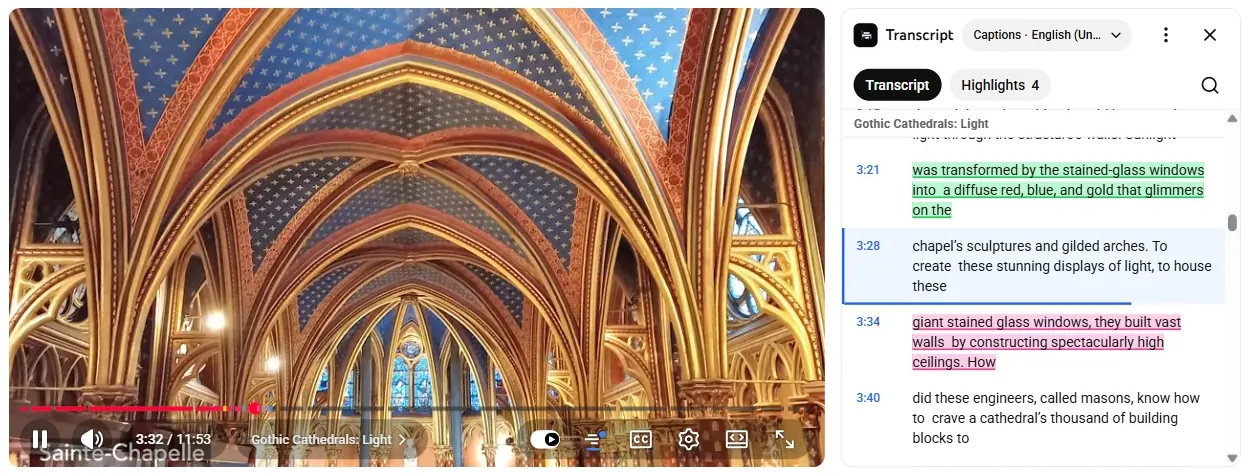
Tube Transcript is a free Chrome extension that opens a YouTube video's transcript in a sidebar next to the player. It follows the line that is playing, lets you search and jump to any line, and saves highlights with notes in your browser. It needs no account and sends nothing to our servers.
Free · No account · Works locally
What the extension does
- Adds a Transcript button next to CC on YouTube. Press it, or Alt+T, to open the transcript beside the video.
- Marks the line that is playing and scrolls with the video. Chapters are shown when the video has them.
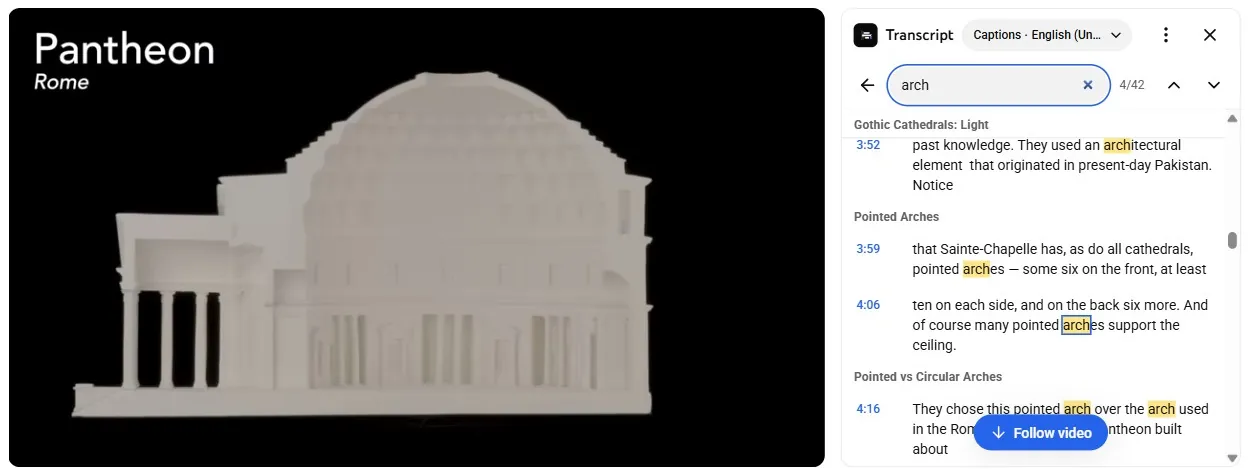
- Searches the transcript; click any line to jump to that moment.
- Copies the transcript with or without timestamps, or downloads it as TXT, SRT, VTT or JSON.
- Lets you choose the caption language when a video has more than one track.
- Follows YouTube's light and dark themes, and works in theater mode and fullscreen.
Highlights and notes
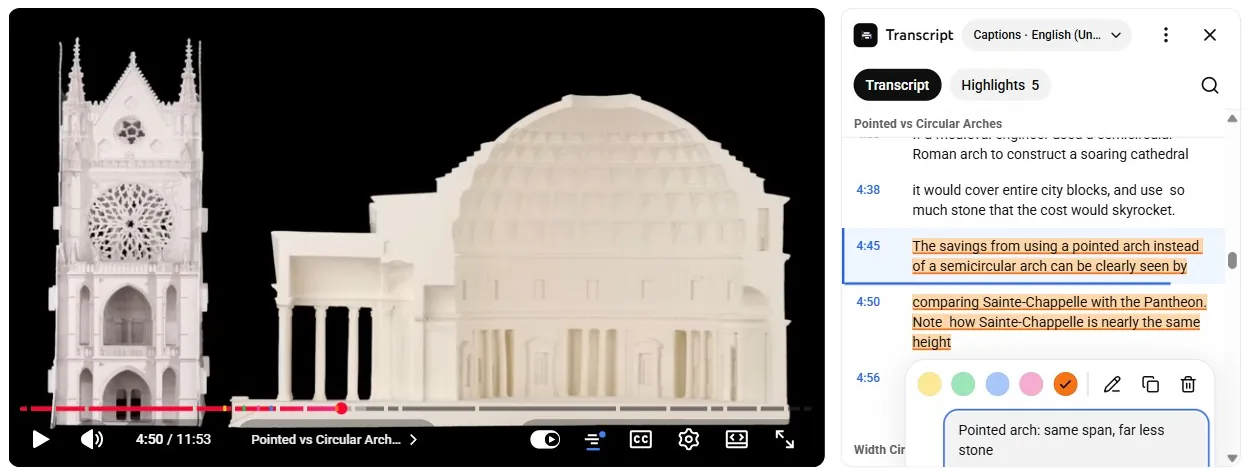
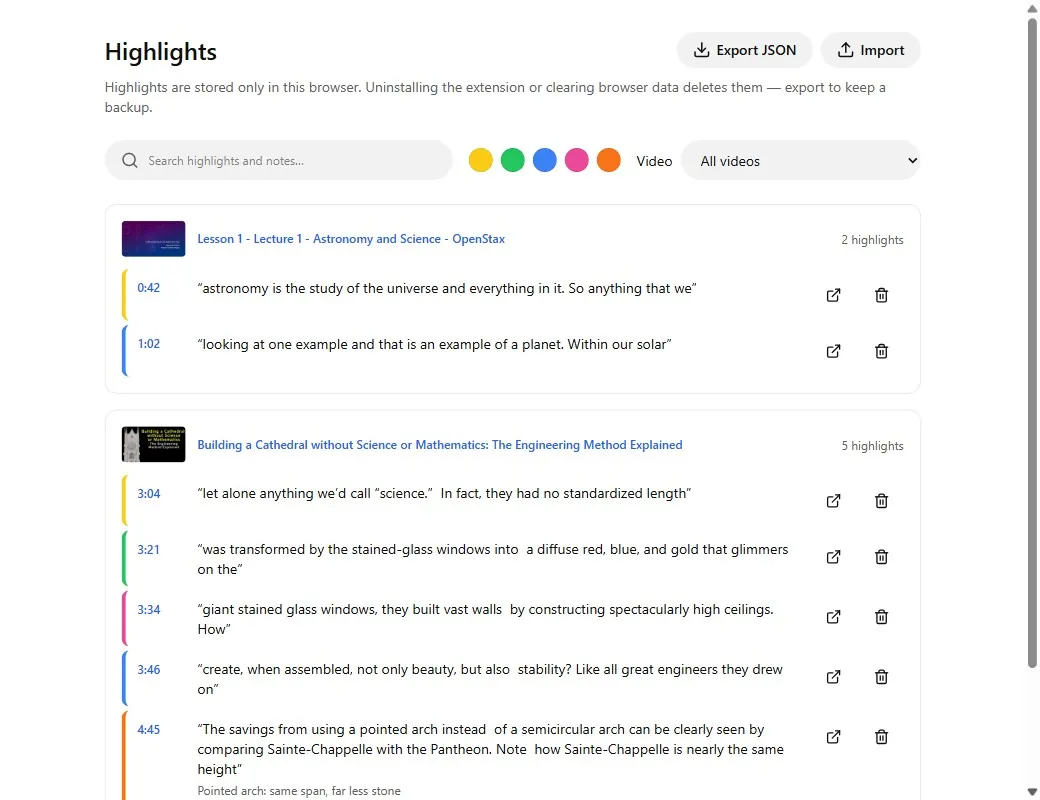
Select a sentence to highlight it in one of five colors and add a note. Highlights show as markers on the video's progress bar, and the My highlights page collects them from every video, with search and a color filter. They are saved in this browser only; export them as JSON to keep a backup.
Keyboard shortcuts
- Alt+T opens or closes the transcript. You can change it at chrome://extensions/shortcuts.
- In the sidebar: / search, ↑ ↓ move between lines, Enter jump to a line, H highlight, C copy a line, Esc close.
Privacy
The extension can only access www.youtube.com and asks for one other permission, storage. Transcripts come from the captions YouTube already loads in your tab and are cleared when you close the browser. Highlights, notes and settings stay in this browser. There are no analytics, and nothing is sent to tubetranscript.io. While you type a note or a search, the YouTube page can observe the key presses, as it can for any typing on youtube.com.
Limits you should know
- The video needs captions, uploaded or auto-generated. Live streams in progress have no stable transcript.
- Works on video pages of www.youtube.com in desktop Chrome. Shorts, m.youtube.com, YouTube Music and embedded videos are not supported.
- Highlights live in one browser. Uninstalling the extension or clearing its data deletes them unless you exported them.
- YouTube changes its pages from time to time; a change can stop transcripts from loading until we ship an update.
Extension or website?
Use the extension to read along while you watch. Use the website when a video has no captions (it can try AI transcription), for Shorts, or to get transcripts from a link without opening YouTube. Developers can use the REST API or MCP servers.
FAQ
Is the extension free?
Yes. It is free and needs no account or sign-up.
Does it work on videos without captions?
No. It reads the captions YouTube already has for the video, uploaded or auto-generated. For a video without captions, the website can try AI transcription.
Where are my highlights saved?
In the extension's storage in this browser, never on our servers. Export them as a JSON file from the My highlights page to keep a backup or move them to another browser. Details are in the extension privacy policy.
Does it work on Shorts, phones or Firefox?
No. It works on video pages of www.youtube.com in Chrome on desktop. Shorts, m.youtube.com, YouTube Music, embedded videos and Firefox are not supported.
Is it the same as the tubetranscript.io website?
They are separate. The extension runs in your browser and does not use our servers. The website gets transcripts from a link, including AI transcription and the API.
Screenshots show Building a Cathedral without Science or Mathematics by engineerguy (Bill Hammack) and Lesson 1 – Astronomy and Science by Introduction to Astronomy (OpenStax), licensed CC BY. Tube Transcript is not affiliated with YouTube or Google.
By Kenji Saito · Updated